Congratulations on your purchase and welcome to Philips Norelco!To fully benefit from the support that Philips Norelco offers, register your product at www.philips.com/register.
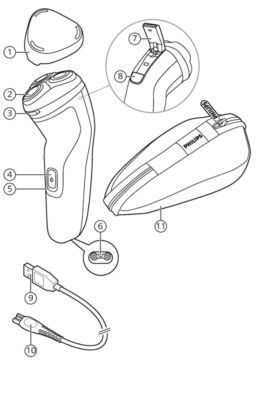
- Protective cap
- Shaving unit
- Shaving unit release button
- On/off button
- Charging light
- Socket for small plug
- Pop-up trimmer
- Trimmer release slide
- USB cable
- Note: A suitable power source (e.g. Philips HQ87) is available via www.philips.com/support.
- Small plug
- Travel pouch (X3052 only)
Battery fully charged
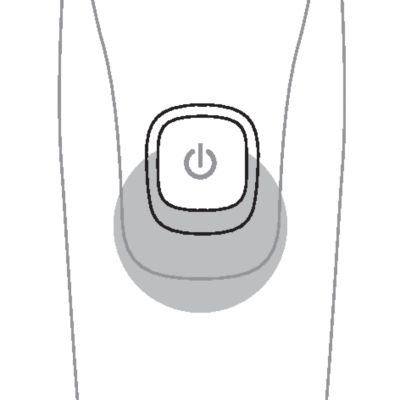
When the battery is fully charged, the charging light lights up white continuously.
Note: After approx. 30 minutes, the charging light goes out to save energy.
Battery low
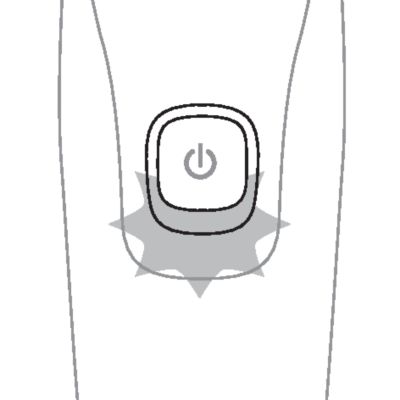
When the battery is almost empty (when there are only 5 or fewer shaving minutes left), the charging light flashes orange.
When you switch off the product, the charging light continues to flash orange for a few seconds.
Charging
When the shaver is charging, the charging light flashes white.
Quick charge (X3001 and X3052 only)
When you start charging the empty battery, the charging light flashes white quickly. After approx. 5 minutes the charging light flashes white slowly. The shaver now contains enough energy for a 5-minute shave.
- If the product is subjected to a major change in temperature, pressure or humidity, let it acclimatize for 30 minutes before using.
- Do not charge the shaver in a pouch or travel case.
Charge the shaver before you use it for the first time and when the charging light indicates that the battery is almost empty.
When you charge the shaver for the first time or after a long period of disuse, let it charge until the charging light lights up continuously.
- Charging takes approx. 8 hours (S1143 only), or 1 hour (X3001 and X3052 only).
- Quick charge (X3001 and X3052 only): After approx. 5 minutes of charging, the battery contains enough energy for one full shave.
- A fully charged shaver has a shaving time of up to 40 minutes (S1143 and X3001 only) or 50 minutes (X3052 only).
Note: You cannot use the product while it is charging.
Danger: Keep the USB cable and the USB power source dry.
Charging with a USB power source
- Make sure that the product is switched off.
- Insert the small plug of the USB cable into the socket in the bottom of the product.
-
- Insert the USB plug into the USB power source (not included).
-
- Insert the USB power source into the power outlet.
- The charging light on the product will indicate the charging status.
- After charging, remove the USB power source from the power outlet and pull the small plug out of the product.
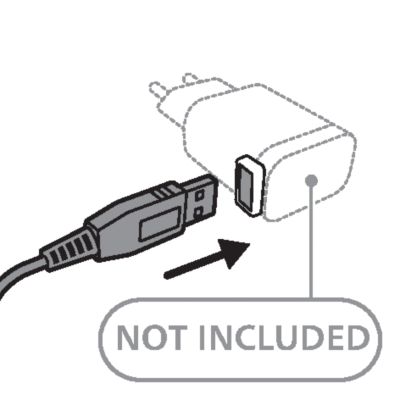
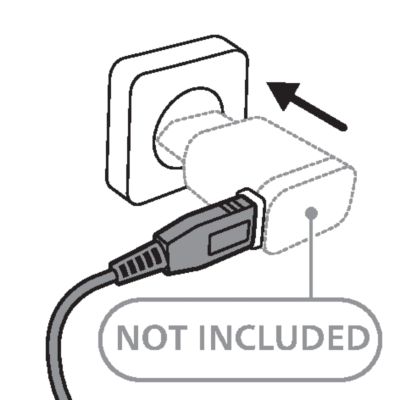
X3052 only
Note: Before first use charge the shaver for 3 hours without interruptions and until the charging light shows that the battery is full. This is needed to make maximum use of the battery capacity. All future charges will take 1 hour.
Always check the product and all accessories before using. Do not use the product or any accessory if it is damaged, as this may cause injury. Always replace a damaged part with one of the original type.
This product is only intended for household use.
For hygienic reasons, the product should only be used by one person.

Note: This product is waterproof. It is suitable for use in the bath or shower and for cleaning under the tap with water. For safety reasons, this product can only be used without cord.
Switching the product on and off
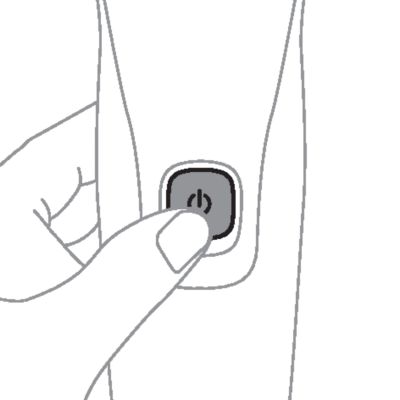
To switch the product on or off, press the on/off button once.
Shaving
S1143 only
- Switch on the shaver.
-
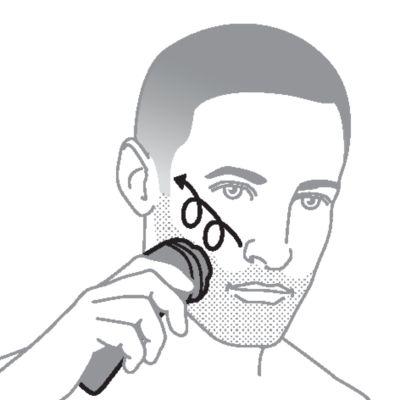
- Move the shaver in circular movements over your skin to catch hair growing in all directions. Make sure each shaving head is fully in contact with the skin. Exert gentle pressure for a close, comfortable shave.
- Note: Do not press too hard, as this can cause skin irritation.
-
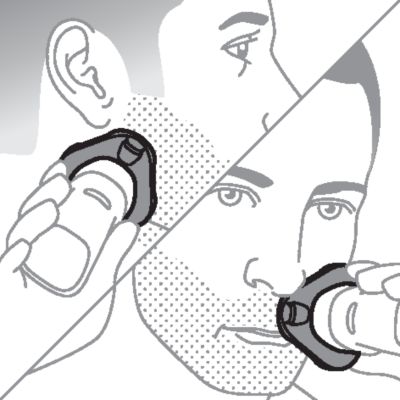
- Use the narrow sides of the shaving unit to shave in hard-to-reach areas such as along your jawline and under your nose.
- Switch off and clean the product after each use.
-
- Put the protective cap on the product to protect the shaving heads during storage and travel.
X3001 and X3052 only
- Switch on the shaver.
-
- Move the shaver in circular movements over your skin to catch hair growing in all directions. Make sure each shaving head is fully in contact with the skin. Exert gentle pressure for a close, comfortable shave.
- Note: Do not press too hard, as this can cause skin irritation.
-
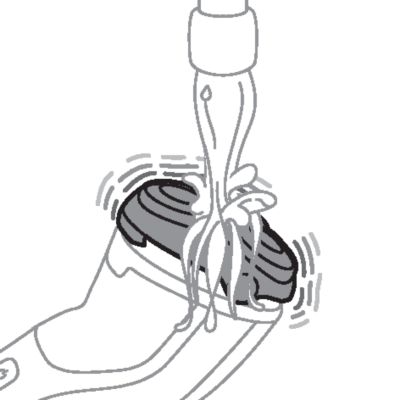
- Note: If you are shaving with gel or foam, rinse the shaving unit regularly during your shave to ensure that it continues to glide smoothly over your skin.
-
- Use the narrow sides of the shaving unit to shave in hard-to-reach areas such as along your jawline and under your nose.
- Switch off and clean the product after each use.
-
- Put the protective cap on the product to protect the shaving heads during storage and travel.
Put it to the test US
- 21 Day Trial and Conversion Process. It is a fact that your skin and beard need time to adjust to a new grooming system.
- Use your new shaver exclusively for 3 weeks to fully enjoy the closeness of a Philips Norelco shave.
- At first you may not get as close a shave as you expect, or your face may even become slightly irritated. This is normal since your beard and skin will need time to adjust. Invest 3 weeks and you'll soon experience the full joy of your new shaver.
- Stick with it! If you alternate shaving methods during the adjustment period, it may make it more difficult to adapt to the Philips Norelco shaving system.
- If you are still not convinced after 21 days, Philips Norelco will refund you the full purchase price as long as the request is received within 45 days of purchase.
Trimming with pop-up trimmer
You can use the trimmer to groom your sideburns and moustache.
-
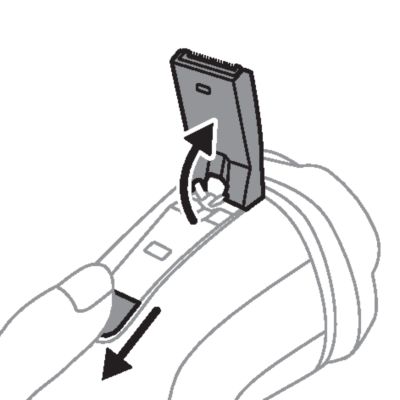
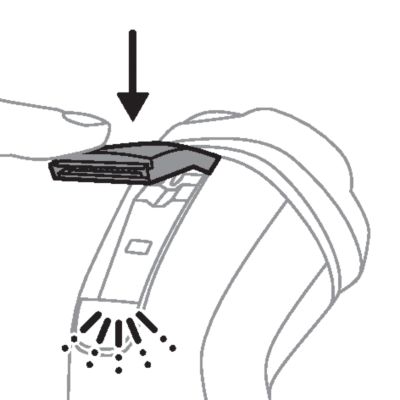
- Push the trimmer release slide downwards to open the trimmer.
-
- Press the on/off button once to switch on the product.
-
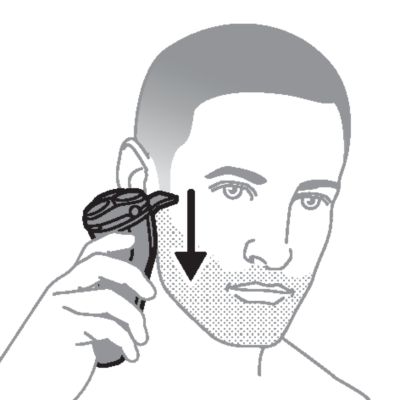
- Hold the trimmer perpendicular to the skin and move the product downwards, exerting gentle pressure.
- Switch off the product and clean the trimmer after each use to prevent clogging and damage.
-
- Close the trimmer ('click').
Head shaving
Warning: Pre-trim your hair if it is longer than 1.5 mm.
X3001 and X3052 only: You can use this product either wet or dry, or even in the shower. For a wet shave, apply some water and shaving foam or gel to your skin and rinse the shaving heads under the tap with warm water before following the steps below.
- Switch on the shaver.
-
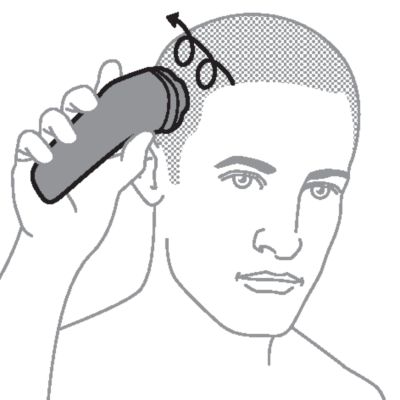
- Move the shaver in circular movements over your head, and shave in the direction of hair growth.
- Note: Shaving against the direction of hair growth may cause skin irritation.
- Stretch your skin with your free hand so the blades can lift and cut hair. Make sure each shaving head is fully in contact with the skin. Exert gentle pressure for a close, comfortable shave.
- Note: Do not press too hard, as this can cause skin irritation.
- Note: Regularly remove cut hair from the hair chamber.
-
- Note: If you are shaving with gel or foam, rinse the shaving unit regularly during your shave to ensure that it continues to glide smoothly over your skin. (X3001 and X3052 only)
- Switch off and clean the product after each use.
-
- Put the protective cap on the product to protect the shaving heads during storage and travel.
Regular cleaning guarantees better shaving results.
Never clean, remove or replace the shaving unit while the shaver is switched on.
Do not touch shaving heads with hard objects as this may dent or damage the precision-made slotted shaving head.
Do not use abrasives, scourers or aggressive liquids such as gasoline or acetone to clean the shaver.
Cleaning the shaving unit under the tap
Clean the shaver after every shave for optimal shaving performance.
Always check if the water is too hot, to prevent burning your hands.
While rinsing shaving heads, water may drip out of the base of shaver. This is a normal occurrence. Internal electric parts are in a waterproof compartment so the shaver will be protected against water damage.
-
-
- Press the on/off button once to switch on the product. Rinse the shaving unit with cold or lukewarm water.
-
-
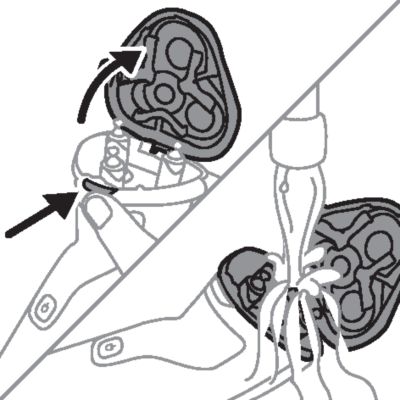
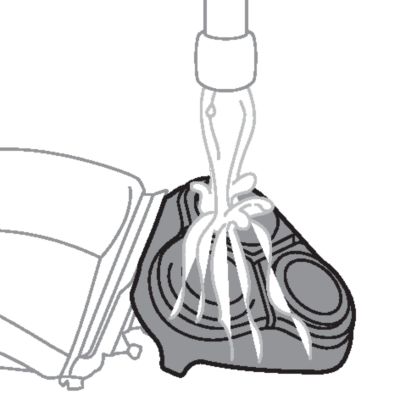
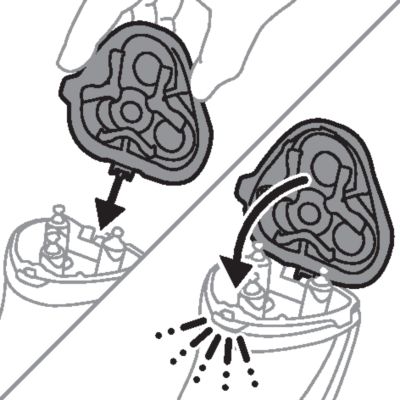
- Press the on/off button to switch off the product. Press the shaving unit release button to open the shaving unit. Rinse the shaving unit and hair chamber with lukewarm water.
-
- Rinse the outside of the shaving unit with lukewarm water.
- Carefully shake off excess water and let the shaver air dry.
-
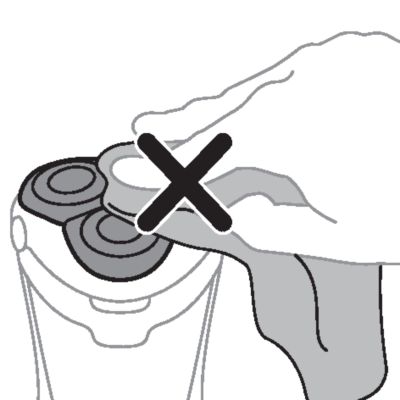
- Never dry the shaving unit with a towel or tissue, as this may damage the shaving heads.
- Close the shaving unit.
Cleaning the pop-up trimmer
Caution: Never dry the trimmer teeth with a towel or tissue, as this may damage the trimmer teeth.
Clean the trimmer after each use to prevent clogging and damage.
- Switch off the shaver.
-
- Push the trimmer release slide downwards to open the trimmer.
-
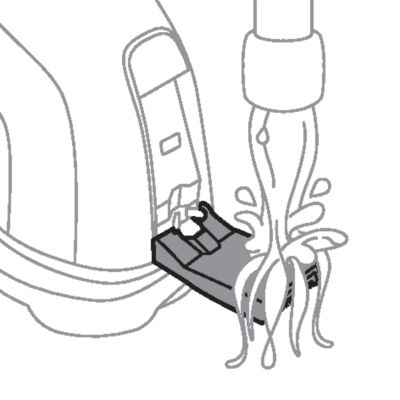
- Switch on the shaver and rinse the pop-up trimmer under warm water.
- Switch off the shaver after cleaning.
- Carefully shake off excess water and let the pop-up trimmer air dry.
-
- Close the trimmer ('click').
- Tip: For optimal performance, lubricate the teeth of the pop-up trimmer with a drop of mineral oil every six months (oil not included).

For maximum shaving performance, replace the shaving heads once a year. Replace damaged shaving heads immediately.
Always replace the shaving heads with original Philips Norelco shaving heads.
- Switch off the shaver.
-
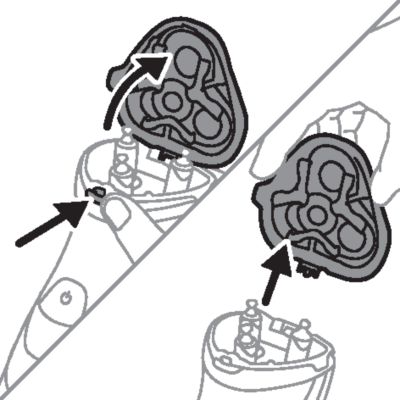
- Press the shaving unit release button to open the shaving unit. Pull the shaving unit off the shaver.
-
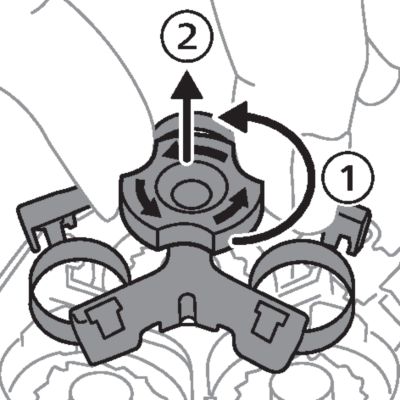
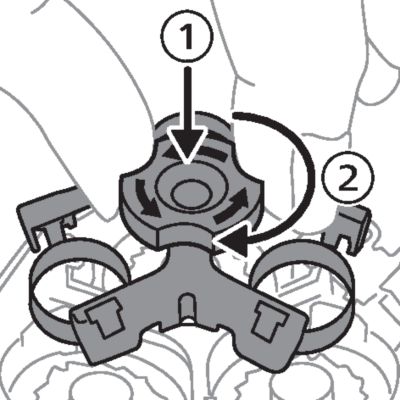
- Turn the lock counterclockwise and remove the retaining frame. Place it aside in a safe place.
-
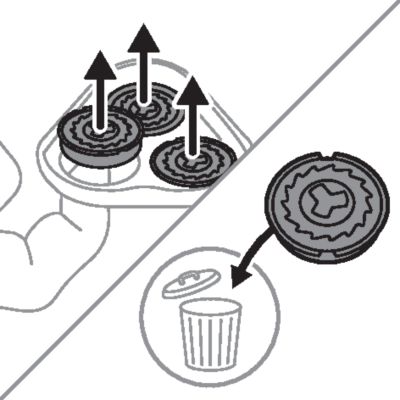
- Remove the shaving heads from the shaving unit. Discard the used shaving heads immediately to avoid mixing them with the new shaving heads.
-
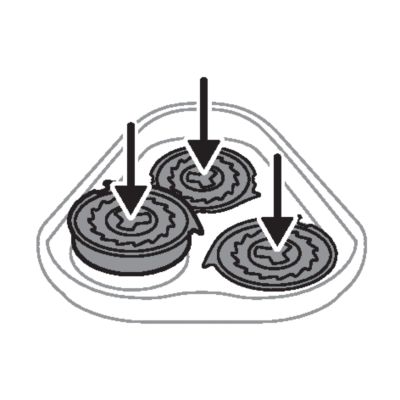
- Place new shaving heads in the shaving unit.
-
- Note: Make sure that the shaving heads with the projections fit exactly onto the hooks of the shaving head holder when placing them. The shaving heads supplied with the shaver either have notches or projections. Both shaving systems are the same.
-
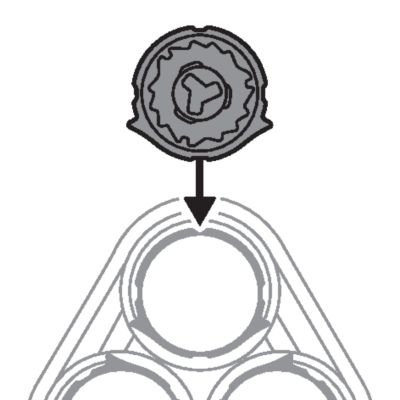
- Put the retaining frame back into the shaving unit and turn the lock clockwise.
-
- Insert the hinge of the shaving unit into the slot in the top of the shaver. Then close the shaving unit.
- Note:If the shaving unit does not close smoothly, check if you have inserted the shaving heads properly and if the retaining frame is locked.
This product has no other user-serviceable parts. For assistance call 1-800-243-3050.
- Make sure the product is switched off. Remove the USB power source from the power outlet and the product before storing the product in a safe, dry location where it will not be crushed, banged, or subject to damage.
- Do not wrap cord around the product when storing.
- Store cord and other accessories in a safe location where these will not be cut or damaged.
- Do not place or store the product where it can fall or be pulled into a tub or sink, water or other liquid while plugged in.
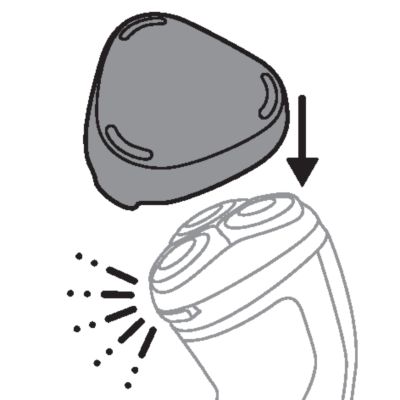
Put the protective cap on the shaver to prevent damage.
Note: Always let the shaver dry completely before storing.
Storage in travel case (X3052 only)
Store the shaver in the travel pouch supplied.
Note: Make sure the shaver is dry before you store it in the travel pouch.
Replacement parts and accessories may be purchased at a store near you or on our website www.philips.com/store.
The following accessory is available:
- SH30 Philips Norelco replacement shaving heads
For assistance, visit our website: www.philips.com/support or call toll free 1-800-243-3050.
- This product contains a rechargeable NiMH battery which must be disposed of properly.
- Contact your local town or city officials for battery disposal information. You can also call 1-800-822-8837 or visit: www.call2recycle.org for battery drop-off locations.
- For assistance, visit our website: www.philips.com/support or call 1-800-243-3050 toll free.
- Your product is designed and manufactured with high quality materials and components, which can be recycled and reused. For recycling information, please contact your local waste management facilities or visit: www.recycle.philips.com.