Congratulations on your purchase and welcome to Philips Norelco!To fully benefit from the support that Philips Norelco offers, register your product at www.philips.com/register.
Note: This user manual provides usage instructions for multiple product models. For that reason, you may encounter instructions for accessories that are not included with your product.
To find out what additional accessories are available in addition to those provided with your product, please refer to the \"Parts and Accessories\" chapter of this user manual.
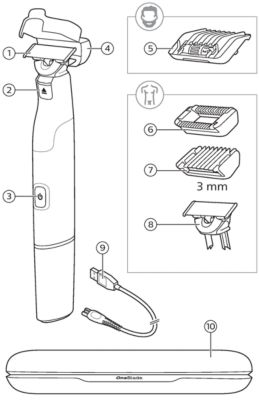
The following components are shown in Fig.1:
- Blade release switch
- On/off button
- Protection cap
- 5-in-1 beard guard
- Skin guard
- Body guard
- 360 blade
- Original blade
- USB charging cable
- Note: Philips IPX4 (splash-proof) USB power sources are available separately.
- Travel case

This symbol indicates that the product can be used in the bath or shower.
Tip: Both 360 and Classic blades are compatible with all of the guards shown in Fig. 1
- This product is only intended for household use.
- For hygienic reasons, the product should only be used by one person.
Charging OneBlade
Danger: Keep the USB cable and the USB power source dry.
Low Battery
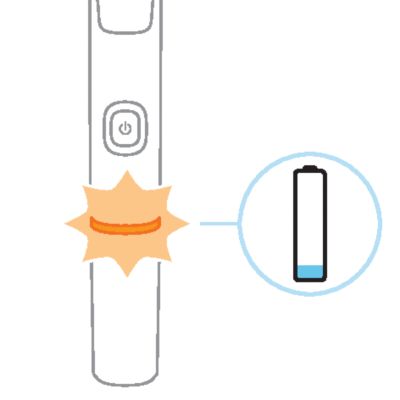
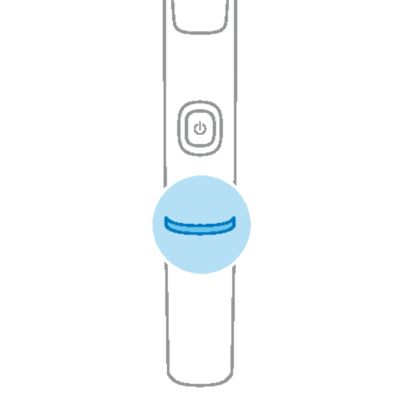
When the battery is low, the light ring on the handle will flash orange.
Charging with the USB charging cable
-
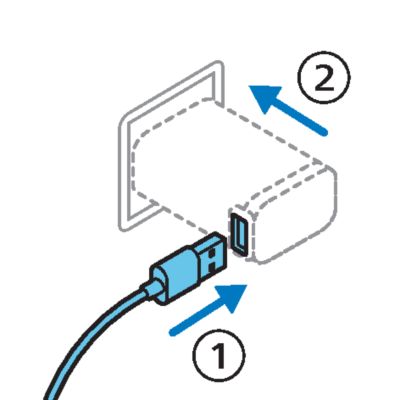
- Insert the small plug into the OneBlade handle, then insert the USB plug into a USB power source (not included). Plug the power source into a 120V AC outlet.
- Tip: the battery contains enough charge for one shave after 5 minutes of charging.
- To fully charge the battery, allow it to charge for 1 hour. The light ring flashes white when the product is charging.
-
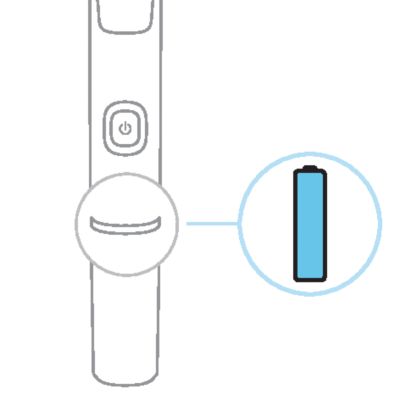
- The light ring lights up continuously in white when the product is fully charged.
- Unplug the USB power source from the outlet and then remove the charging cable from the handle.
- Note: for safety reasons, the product can only be used when the charging cable is not attached.
- A fully charged OneBlade has an operating time of 1 hour.
Turning OneBlade on and off
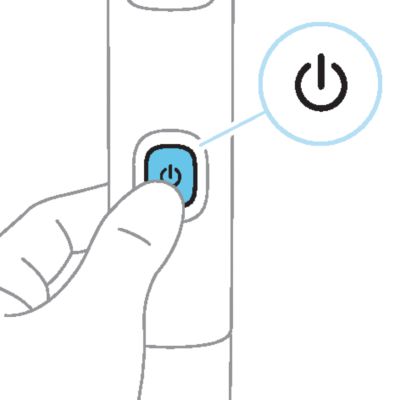
To turn the product on or off, simply press the power button once.
Tip: If the product does not turn on, check that the battery is fully charged and remove the charging cable from the handle before pressing the power button. If the product still does not turn on, check that the blade is clean and undamaged.
Connecting to the Daily Care app
Download the Philips OneBlade app from the App Store or Google Play Store to take advantage of your OneBlade's smart features. The OneBlade app also includes styling guidance, how-to videos and other relevant information.
- To connect your Philips OneBlade, make sure Bluetooth® is enabled on your mobile device, and that your OneBlade and mobile device are close together.
- Open the OneBlade app and follow the on-screen instructions to connect a device.
- Switch on your OneBlade to begin pairing.
-
- When the connection is established, the light ring will flash blue twice to indicate that your OneBlade is ready to use.
Facial Hair
Shaving facial hair
-
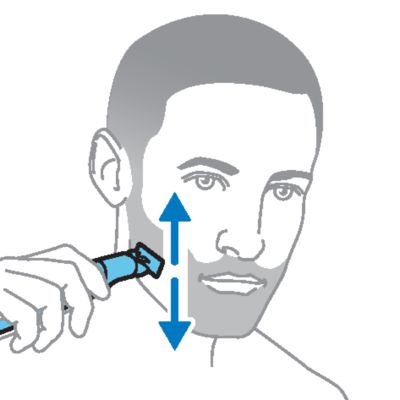
- To shave, make long, slow and steady strokes, applying gentle pressure with the blade flat against your skin. Move the blade back and forth to make use of both sides of the blade.
-
- To edge or contour your beard, mustache or sideburns, make short strokes with the blade held perpendicular to your skin. Alternatively, make small strokes with the blade flat against your skin.
- For best results, clean your OneBlade after each use.
Trimming facial hair
-
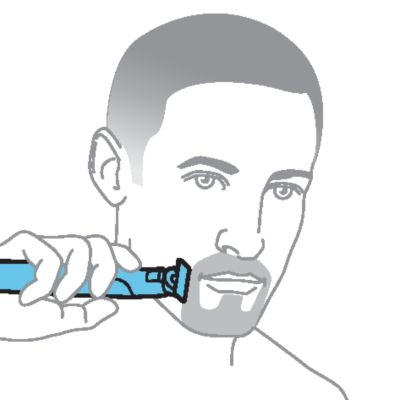
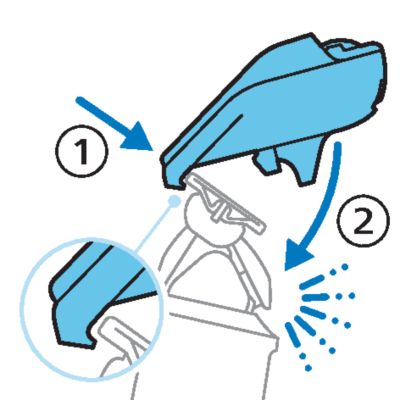
- Hook the back of the guard over the back of the blade, then gently press the front of the guard downwards until it clicks into place.
- Note: if you experience difficulties attaching the guard, ensure that the two small hooks on the bottom (on the side closest to the teeth) are properly aligned on the upper edge of the blade.
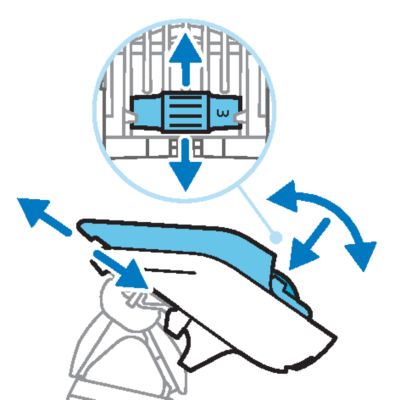
- Press and roll
-
- Press down on the length dial on the comb using your thumb, and roll it until your preferred length is selected.
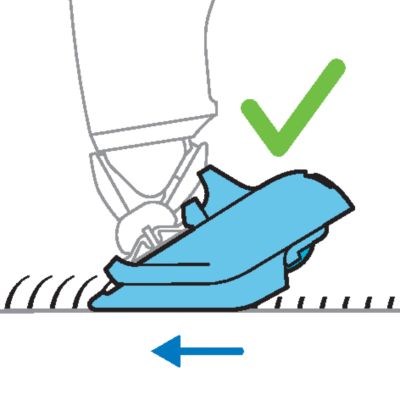
- Trim against the grain
-
- Trim against the direction of hair growth, with the teeth of the guard flat against your skin.
- Detach the guard
- To detach the guard, hold the handle firmly and gently lift the guard off the blade. For best results, clean your OneBlade after each use.
Body Hair
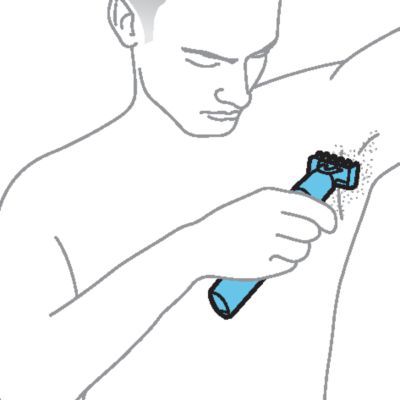
Shaving body hair
-
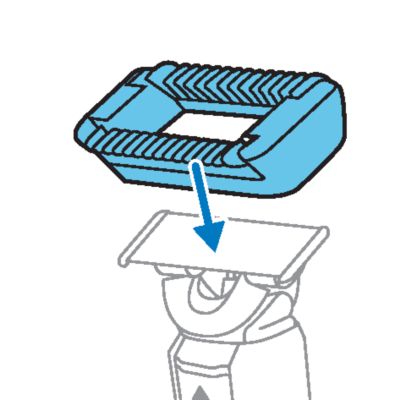
- If you are using the skin guard, place it onto the blade and gently press until it clicks into place.
- Switch on your OneBlade, and place the blade flat against your skin.
-
- Make long, steady strokes, exerting gentle pressure and allowing the blade to glide across the surface of your skin.
- Tip: on certain areas, using the fingers of your free hand to spread the skin and hold it taut will provide better results.
- The blade and skin guard are double sided. Move the blade back and forth to catch hairs growing in different directions.
-
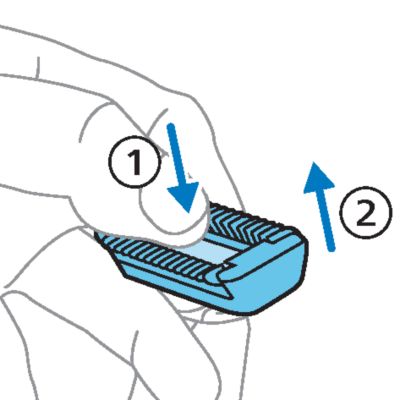
- Clean your OneBlade after each use. If you used the skin guard, press your thumb onto the exposed flat surface of the blade, and use your fingers to gently pull off the skin guard before cleaning.
Trimming body hair
-
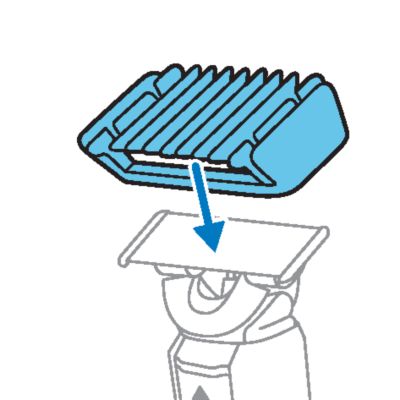
- Place the guard onto the blade and gently press until it clicks into place.
- Trim against the direction of hair growth, with the teeth of the guard flat against your skin. The guard is double sided, so you can move your OneBlade back and forth to cut hairs growing in different directions.
- To detach the guard, hold the handle firmly and gently lift the guard off the blade. For best results, clean your OneBlade after each use.
Cleaning OneBlade
-
- Turn on your OneBlade and rinse it under the tap with cold or lukewarm water. If you shave with foam or gel, be sure to remove all residue after each shave.
- Rinse the guard
- Guards can also be cleaned under the tap using warm water.
- Allow to air dry
- Allow your OneBlade and accessories to air dry completely before storage.


Note: Do not bang the handle on the sink or any hard surface, a this may damage the product. Do not use a towel or cloth to dry the blade.
Storage
Store your OneBlade in a safe, dry location where it will not be crushed, banged, or subject to damage. To protect the blade, store the product with the protection cap attached. Do not wrap the cable around the product when storing, and do not place or store the product where it can fall or be pulled into a tub or sink, water or other liquid while plugged in.
When to replace the blade
For optimal cutting and gliding performance, we advise you to replace the blade every 4 months or when it no longer provides the shaving or trimming results you expect. Depending on your usage behavior, the exact lifetime of the blade could be longer or shorter.
Wear indicator

A replacement symbol will gradually appear on the blade as you use it. When the replacement symbol is fully visible, it's recommended to replace your blade.
Note that accessories such as guards can prevent the replacement symbol from becoming visible.
Tip: the replacement symbol resembles the arrow icon on the handle of your OneBlade. For older blades, a green rectangle may appear in place of the replacement symbol.
If blade is damaged
If you notice any damage on your blade, please replace it immediately.
How to replace the blade
Before you begin, make sure your OneBlade is turned off and any guards are removed.
-
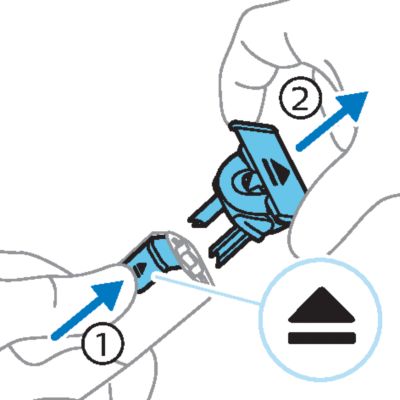
- Press the release slide upwards and lift off the old blade, holding it by both short sides.
- Note: hold the blade before pressing the release slide, because the blade may fly off and become damaged.
- Discard the old blade
- The old blade can be discarded with your normal household waste.
- Unboxing
- Remove your replacement blade from the packaging. To avoid damaging the blade, don't use sharp objects or crush the packaging.
- Insert into the handle
-
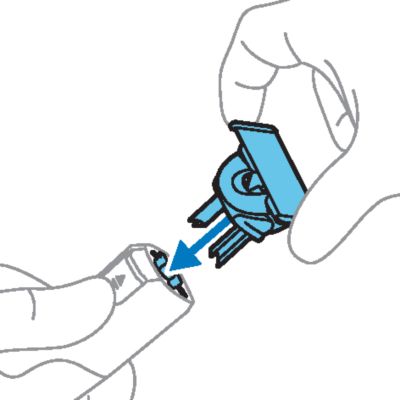
- Hold the new blade by both short sides and insert the protrusions on the bottom of the blade into the slots on the OneBlade handle.
- Wait for the click
- Gently press the blade downwards onto the handle until it clicks into place.
- Ready to go
- Your OneBlade is now ready to use.
To buy accessories or spare parts, visit www.philips.com/parts-and-accessories or visit an authorized Philips dealer.
Tip: You will be prompted to enter your model number when searching for parts and accessories on the Philips website. This information (including two digits after a slash) can be found on your purchase receipt/invoice or printed on the product packaging.
For assistance, visit our website: www.philips.com/support or call toll free 1-800-243-3050.
- This product contains a rechargeable lithium-ion battery which must be disposed of properly.
- Contact your local town or city officials for battery disposal information. You can also call 1-800-822-8837 or visit: www.call2recycle.org for battery drop-off locations.
- For assistance, visit our website www.philips.com/support or call 1-800-243-3050 toll free.
- Your product is designed and manufactured with high quality materials and components, which can be recycled and reused. For recycling information, please contact your local waste management facilities or visit: www.recycle.philips.com.
Apple, the Apple logo, iPad, and iPhone are trademarks of Apple Inc., registered in the U.S. and other countries. App Store is a service mark of Apple Inc.
Android is a trademark of Google Inc. Google Play and the Google Play logo are trademarks of Google Inc.
The Bluetooth® word mark and logos are registered trademarks owned by the Bluetooth SIG, Inc. and any use of such marks by Koninklijke Philips N.V. is under license.